

I’ve come across many online casinos, but Cazeus’s new Preferences Central caught my eye. It’s a separate hub created just for UK players to take the reins. Ignore a simple settings menu; this is a personalisation engine optimised for British habits, letting you adjust anything from how much you deposit to the speed of your gameplay.
The Thinking Behind Personalised Play
Today’s UK players aren’t just looking for games; they want mastery over their experience. Cazeus began with that idea. Preferences Central transforms settings from a burden you forget about into a essential part of your experience on the site. This shift towards proactive personalisation raises the bar for what player-centric design can be here in Britain.
Gathering all these controls in one spot understands that a player’s mood changes. You might begin a session chasing jackpots on slots, then wind down for a relaxed hand of blackjack. This hub allows you adjust things as you go, so the platform adapts to your flow, not the other way round.
Customizing Your Gameplay Experience
The hub isn’t only about money. It also enables you to tweak how the games play and appear. Adjust your visual and audio preferences for comfort. Select a standard or stripped-back game view, reduce the animations if you like, and adjust sound effects and background music separately.
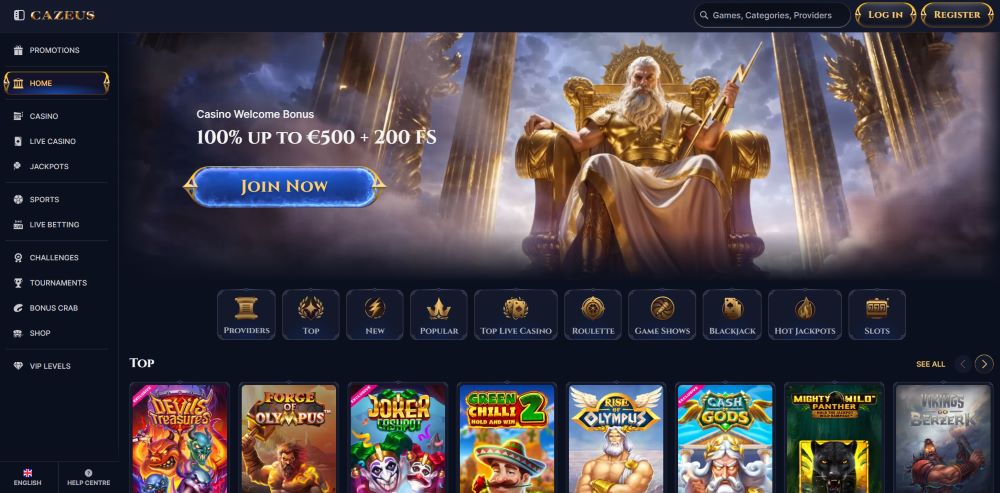
When you’re looking for something new to play, you can tell the system what you like. Set favourites for certain game makers or types, like Megaways slots or classic roulette. The casino’s recommendations then employ these hints, so the lobby seems more like it was selected for you, not for everyone.
Core Features for Financial Control
For UK customers, this part represents the cornerstone of responsible gaming. Preferences Central collects every vital financial safeguard under one roof. It encompasses the essentials like deposit caps, but also provides the complete range of tools required by the UK Gambling Commission.
- Deposit Limits: Cap how much you can add daily, weekly, or monthly.
- Loss Limits: Decide the maximum amount you’re willing losing over a selected period.
- Wagering Limits: Place a ceiling on the total amount you can bet in a specific timeframe.
- Session Time Reminders: Have a nudge when your playing time reaches a limit you set.
- Reality Checks: On-screen summaries that show your session length and whether you’re up or down.
Communication and Alert Settings
Many UK players grow weary of promotional emails. Preferences Central addresses this with exact communication controls. You can enroll in, or decline, certain marketing groups. That means you might receive alerts for new games but avoid the bonus offers, without cutting off contact completely.
You also select how you want to hear from them. Choose between email, SMS, or messages inside the app. The result? You only get the info you really need, sent the way you prefer, which helps keep your digital life a bit less messy.
Next Steps for Personalisation
Cazeus says the Preferences Centre is just the beginning. Later versions might bring in smarter suggestions based on your playstyle, or stronger connections with tools like GAMSTOP. The objective is to keep developing, matching shifts in how UK players behave and what new tech can offer.
The way the platform is built allows for new modules. We might see settings for social features or preferences for tournament entries included down the line. This forward planning means Cazeus can stay flexible, ready to meet the next wave of expectations from British online casino enthusiasts.
Navigating the Preferences Central Dashboard
You can reach the hub from any page on Cazeus Casino without any trouble. Inside, I was presented with a tidy, straightforward dashboard. The main control panels have obvious labels and are grouped in a way that makes sense. The language is straightforward English, so it is suitable whether you’re tech-savvy or not.
The layout splits into distinct sections. You manage your spending limits, modify your sound and graphics, and configure how the casino communicates with you, all from this one spot. Consolidating it like this cuts down on clicks and puts you in control over your gaming session.
The Importance for UK Player Safety
In Britain’s regulated market, ensuring players safe is the top priority. Cazeus’s central hub goes beyond compliance; it gives you power. By placing these tools right up front, it helps responsible gambling habits feel normal. Players are encouraged to set their limits from the start, instead of after something goes wrong.
Having a clear view of your transaction history and current limit status inside the hub increases transparency. This supports the kind of informed choices the UKGC champions. It changes safety from a regulatory requirement into something useful and easy to use.
Frequently Asked Questions
What precisely is Preferences Central at Cazeus Casino?
It represents a standalone, easy-to-use hub where UK players manage all their account settings and safety tools together. Imagine it as your personal command post for deposit limits, your preferences for your games, and the casino’s contact methods, all designed with the British market in mind.
How can I access the Preferences Central dashboard?
Look for a link inside your Cazeus Casino account profile or on the main site menu https://cazeuss.co.uk/. They designed it for fast access from anywhere on the site, so you can adjust your settings anytime without leaving your game.
Am I able to set deposit limits for different time periods?
Yes. To meet UKGC rules, you can set firm deposit caps for a day, a week, or a month. These limits are locked in and can’t be raised until your chosen cooling-off time passes, which helps support sensible play.
What do you mean by ”Reality Check” reminders?
These are pop-up alerts you can set up in Preferences Central. They show up during your session to show you exactly how long you’ve been playing and your current win or loss position. It’s straightforward tool to help you stay aware and in control.
Will modifying game preferences change what I see?
It will. When you tell the system your favourite game styles or developers, Cazeus uses that to shape the game lobby you see. This makes finding new games you’ll probably like a lot more straightforward, giving you a more personal and useful browse.
Is it possible to control marketing emails from Cazeus?
Yes, and with a fine-tooth comb. The communication settings let you choose exactly which promotional types you hear about, like bonus deals or new game launches. You don’t have to block all messages just to stop the ones you don’t want, which fixes a common gripe for players here.
Is my data safe within Preferences Central?
Yes. All your settings and personal details in the hub are guarded by Cazeus’s security encryption, which meets UK data protection laws. Your limit choices are private and are only used to run your account the way you’ve asked.